Life and work run on stopgaps. CoheGen builds what replaces them.

A phone tree between you and a company's real support line. Streaming app after streaming app, just to find where a title is playing. A paper checklist and separate weather sites before a drone flight. CoheGen replaces fixes like these with real products.

Explore our projects and products
A geometric worker holding a CSL box above conveyor boxes labeled DroneDash, LowKey, LifePark, Local Feed and Streamer.

The products

All CoheGen products are currently Cultivating: still taking shape and not yet ready to try.

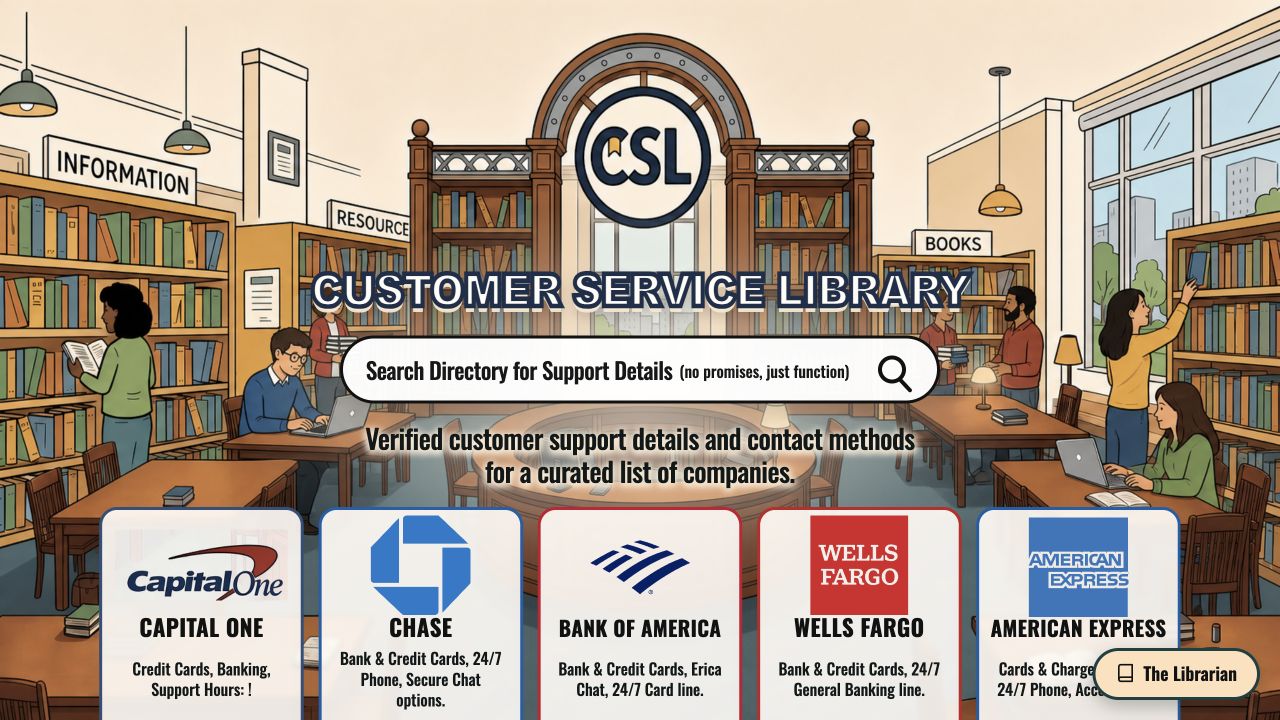
CSL’s illustrated library, directory search and company listings.

Find customer service numbers, email addresses and practical guidance in one place. Organized like a library, CSL helps you get to the information you need without hunting across the web.

Customer Service Library

Cultivating

Customer Service Library

Find customer service numbers, email addresses and practical guidance in one place. Organized like a library, CSL helps you get to the information you need without hunting across the web.

What it replaces

Searching across the web for customer service numbers, email addresses and practical guidance.

Why it looks and works this way

It's a library because you come to it for one thing and leave. Shelves and profiles let you find a company by browsing as well as by name. The Librarian answers only from what is on the shelves, keeping its answers grounded in the listed support information. There's no sign-in because the person using it is usually already stuck, and one more account is one more wall.
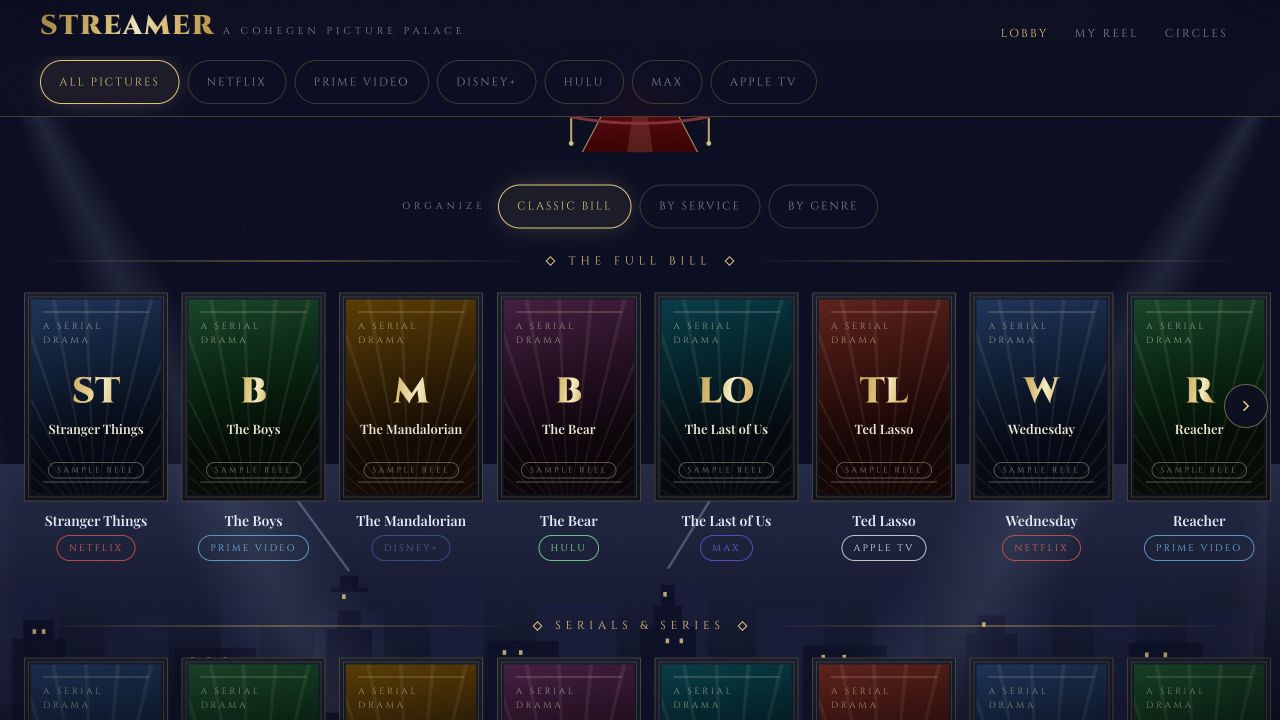
Streamer’s sample catalog with streaming-service filters.

Browse movies and shows across Netflix, Disney+ and Hulu in one place, with watchlists for each service. Find something to watch without jumping from app to app.

Streamer

Cultivating

Streamer

Browse movies and shows across Netflix, Disney+ and Hulu in one place, with watchlists for each service. Find something to watch without jumping from app to app.

What it replaces

Scrolling through streaming apps one by one to find something to watch.

Why it looks and works this way

An Old Hollywood movie palace, in midnight indigo and champagne brass, because the job is the one a marquee did: tell you what's showing and where. Availability comes from TMDB with JustWatch data, credited in the product, never scraped from a streaming service. Lists and circles stay in your browser, with no account, so what you watch isn't another profile kept somewhere else.

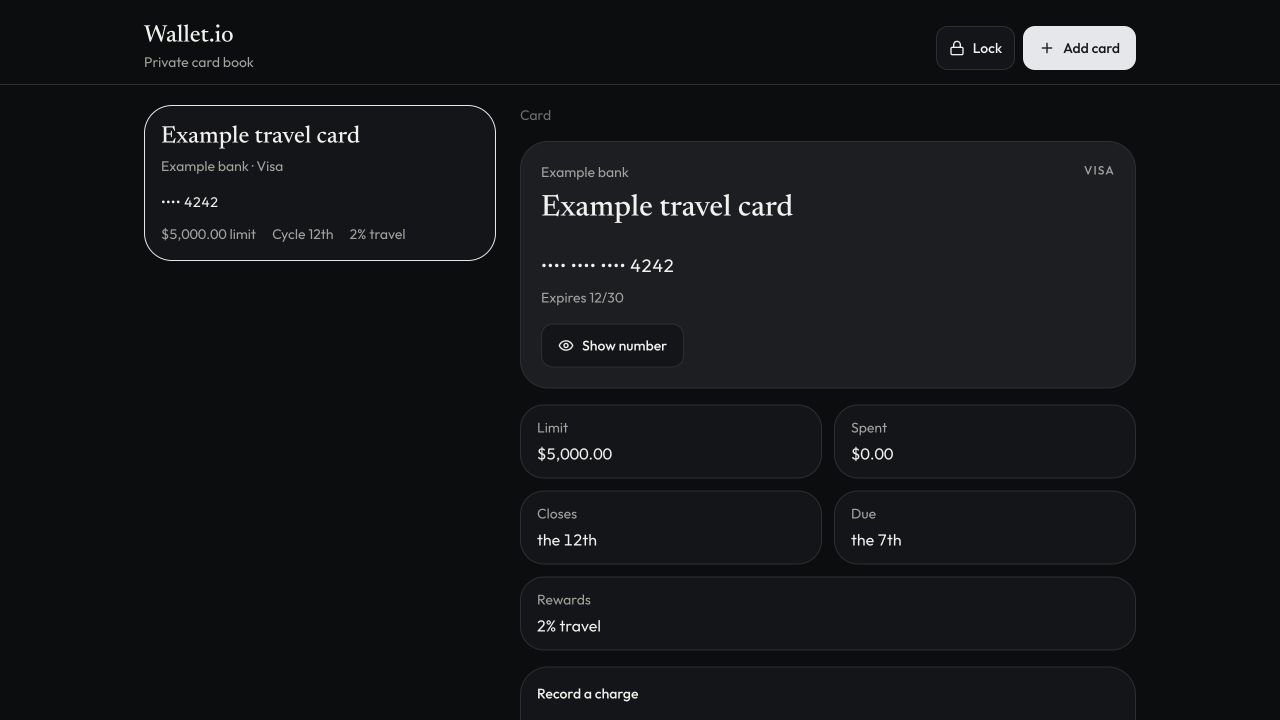
Wallet.io’s card book with an example card and sample financial details.

Keep track of cards your budgeting app can’t connect to. Bring limits, billing cycles, rewards and charges together in a card book, without relying on memory or a spreadsheet.

Wallet.io

Cultivating

Wallet.io

Keep track of cards your budgeting app can’t connect to. Bring limits, billing cycles, rewards and charges together in a card book, without relying on memory or a spreadsheet.

What it replaces

Tracking limits, billing cycles and rewards for cards your budgeting app can’t link, in your head or a spreadsheet.

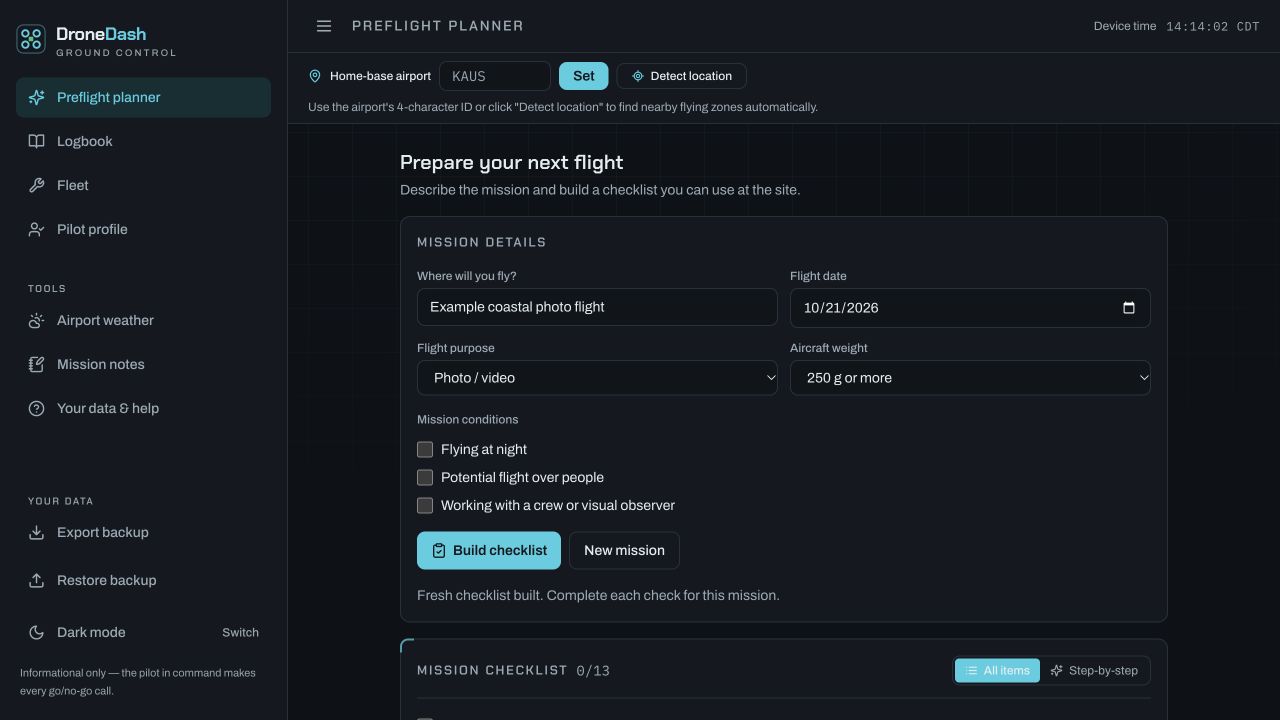
DroneDash’s flight planner with an example coastal photo mission.

Track weather, flight time and maintenance logs in one place. Keep the information you need to plan flights and maintain your drone together, without juggling separate tools.

DroneDash

Cultivating

DroneDash

Track weather, flight time and maintenance logs in one place. Keep the information you need to plan flights and maintain your drone together, without juggling separate tools.

What it replaces

Tracking weather, flight time and maintenance logs separately.

Why it looks and works this way

It's laid out like a pilot's dashboard and checklist because pilots already fly by both. Change a mission's details and its checks clear, so an old checklist can't pass for a new flight. Finishing reads "Checklist complete," never "cleared to fly": DroneDash doesn't authorize flights or replace an official briefing, and it doesn't pretend to. Weather shows its station and observation time, and says when it is missing or out of date. Records stay on your device, with no account, plus a backup you control.

Talk to your computer and get it to do things for you.

Computa

Cultivating

Computa

Talk to your computer and get it to do things for you.

What it replaces

Doing computer tasks manually, one app and one step at a time.

Why it looks and works this way

It runs from a shortcut, not a window, because the point is not to leave what you're doing. The microphone is off between sessions. Adding or completing reminders is a separate opt-in, off by default. Preparing a call never dials: you review the number and the purpose first, and you can take over at any moment. Recordings, transcripts and reminder text aren't written to logs or files.

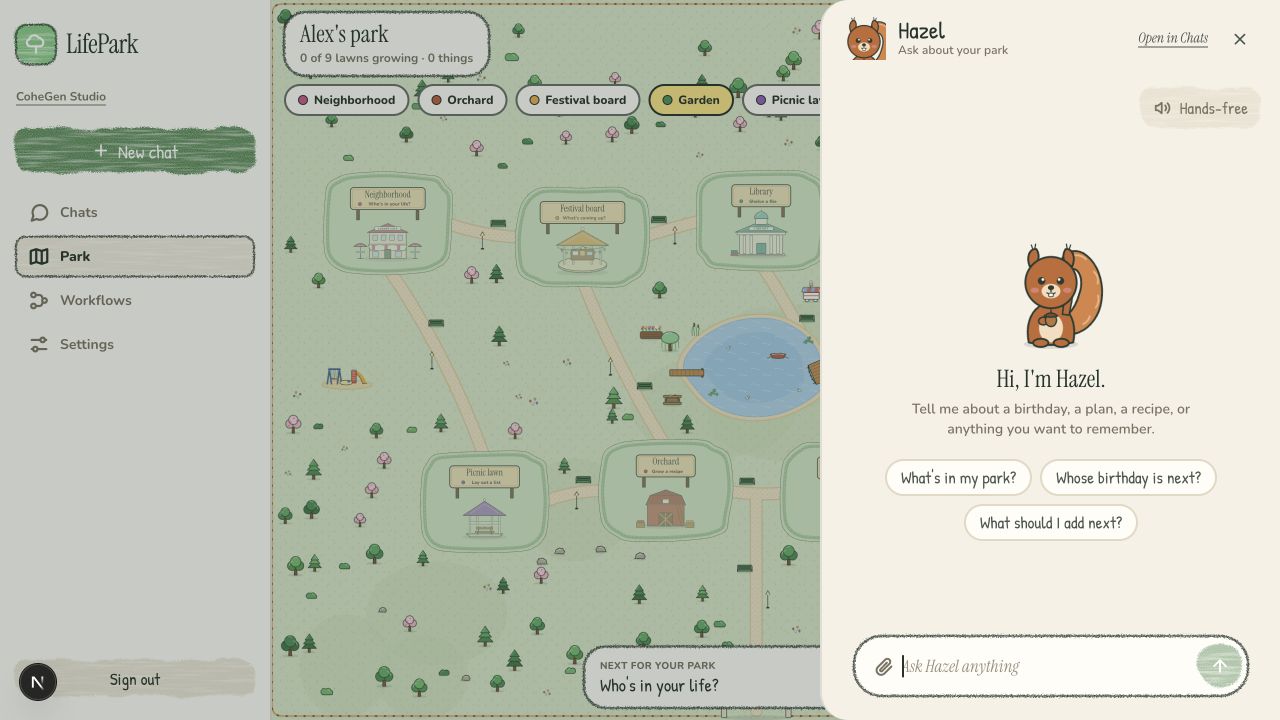
LifePark’s example park with Hazel, its resident, ready to help organize.

Bring your contacts, plans, notes and recipes together in a personal park. Talk or type to your park’s resident, and let it handle the organizing as your park grows.

LifePark

Cultivating

LifePark

Bring your contacts, plans, notes and recipes together in a personal park. Talk or type to your park’s resident, and let it handle the organizing as your park grows.

What it replaces

Contacts, plans, notes and recipes spread across separate apps, with no single place that shows it all.

Why it looks and works this way

A park, because a database nobody has to design still needs a shape people want to return to. Each kind of thing has its own lawn and landmark: people are neighbors with houses, habits are garden plots, recipes are an orchard. Things grow as they're added and used, and wilt gently when skipped; nothing disappears on its own. Chat is the front door because talking is faster than filling in fields, and a plain list sits beside the park for anyone who wants one.

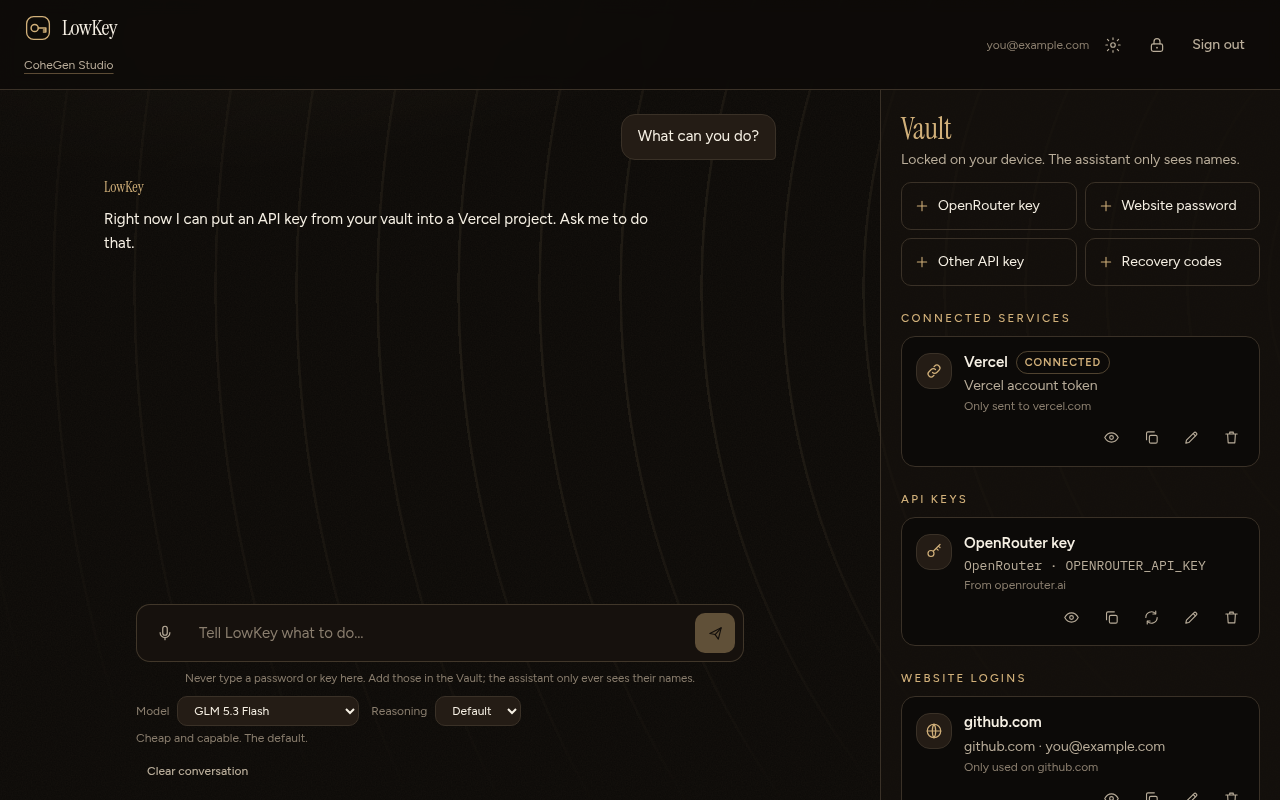
LowKey’s demo vault and assistant, with secret values hidden.

Store passwords, API keys, backup codes and other sensitive information in an encrypted vault. Let AI automate entering and using that information without revealing the secrets themselves to the AI.

LowKey

Cultivating

LowKey

Store passwords, API keys, backup codes and other sensitive information in an encrypted vault. Let AI automate entering and using that information without revealing the secrets themselves to the AI.

What it replaces

Copying and entering sensitive account information across websites by hand.

Why it looks and works this way

It's built as a vault, and the lock is real. The vault is encrypted in your browser, and the server stores only what it can't read. The assistant sees the names of your keys, never their values. For a task that enters a saved password or key, an approval card shows what will be entered and where. Pasting a key into the chat is blocked, so secrets can enter only through the vault.

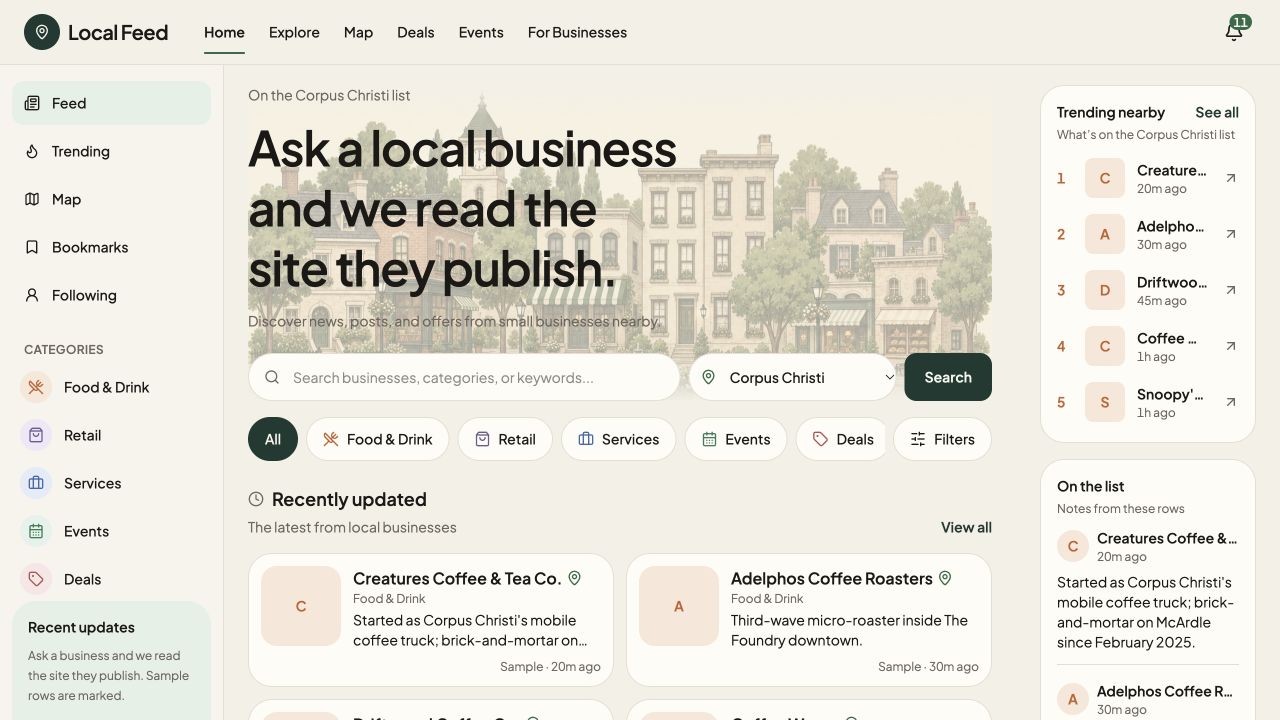
Local Feed’s search, categories and sample Corpus Christi business listings.

Explore local businesses, starting in Corpus Christi. Browse the feed or ask about a business, with answers drawn from its own website and social pages.

Local Feed

Cultivating

Local Feed

Explore local businesses, starting in Corpus Christi. Browse the feed or ask about a business, with answers drawn from its own website and social pages.

What it replaces

Calling a business, or trusting a stale listing, to find out what’s on today’s menu.

Why it looks and works this way

Answers come from the business's own site and social pages, and the answer names where it came from. Items appear only if they're on that page, and prices only if the page shows them. When a price isn't published, Local Feed gives you the ways to contact the business instead of guessing. A question about one city is matched only to that city's businesses.

It automates shopping research and online shopping navigation for you. If you’re ready to pay, it’ll automate that too.

Practice stores only. No real payments.

CheckoutAgent

Cultivating

CheckoutAgent

It automates shopping research and online shopping navigation for you. If you’re ready to pay, it’ll automate that too.

Practice stores only. No real payments.

What it replaces

Researching purchases and working through online stores yourself.

Why it looks and works this way

It sits in a side panel, beside the store you're on, so you can see what it's doing. The full total comes before Permit because the last-step surprise is the stopgap it replaces. Nothing is bought until you press Permit. If the total changes afterward, it stops and asks again. Stop ends any task at once, and a bank verification step is always left to you.

Every stopgap is a sketch of something missing.

Every bypass points to a product that doesn't exist yet. CoheGen builds that product, at the scale the need calls for, and says plainly where each one stands.

Unrelated on purpose. Each product works without the others.

Contact

CoheGen is led by Anthony Hinojosa.

cohegen@mail.grokbot.com